If you’ve ever knelt down to check your cable setup, given your RG6 connector a little twist, and realized it’s just… wobbly — yeah, we’ve all been there. As a guy who’s been selling RG6 connectors for over 8 years (and troubleshooting more customer issues than I can count), I get that loose connectors aren’t just a minor annoyance. They’re the reason your Wi-Fi cuts out mid-work call, your TV signal pixelates during the big game, or your outdoor antenna just can’t pick up that distant local station. So let’s break down why your RG6 connector’s loose, and what you can do about it — plus, why picking the right connector (not just the cheapest one online) makes all the difference. RG6 Connector
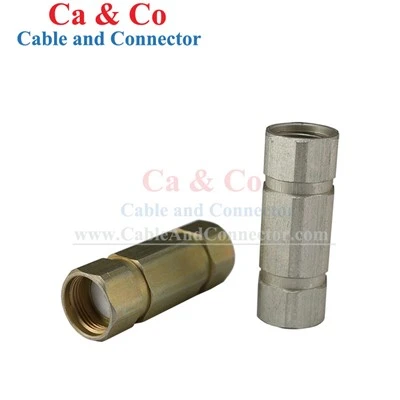
First off, let’s cut through the jargon for a sec. RG6 is that coaxial cable most people use for cable TV, satellite, internet, and even some security cameras — right? It’s got four layers: a center copper core, a plastic insulator (dielectric) around that, a braided metal shield, and an outer plastic jacket. The RG6 connector crimps or screws onto that end to make a tight, interference-free link between the cable and your TV, wall outlet, or modem. When it’s loose, that link is broken, even if it doesn’t feel like it at first.
One of the most common reasons a connector’s loose? You just didn’t install it right. I can’t tell you how many times a customer messages me saying “your connectors suck, they fall off after a week” and when I ask how they put it on, they go, “I just twisted it on tight with pliers.” Wait — hold up. RG6 connectors aren’t like those old RCA plugs you used for a VCR. Most of them (the crimp style, which is the gold standard for permanent installs) need a specific tool, not brute force. If you skip the crimping step, or use the wrong size crimp ring, that connector’s never going to seat properly. I once had a customer bring back a bag of 50 connectors he’d messed up — he’d been using a regular pliers instead of a compression crimp tool, and every single one had a crimp ring that was too loose to grip the cable’s outer jacket. No wonder they were falling off. Even screw-on RG6 connectors (we make those too, for quick DIY installs) have a little plastic or metal locking tab inside. If you just turn it without aligning that tab first, it’ll feel tight… until you bump the cable, and it spins right off.
Next up: worn out or damaged cable ends. This one’s tricky because sometimes it’s not the connector itself, but what’s attached to it. If you’ve trimmed an RG6 cable too many times (like when you’re repositioning a TV or moving a modem), you might’ve nicked the center core or stretched the braided shield. The braided shield is super important here — it’s what the connector grips onto to stay secure. If those thin metal strands are frayed or bent, they can’t lock into the connector’s internal teeth. I had a customer last month who kept complaining his outdoor connectors were loose. Turns out, he’d been yanking the cable to rewire his patio for years, and the braided shield was half-missing from the end. All the crimping in the world wouldn’t help because there was nothing for the connector to hold onto. Even the center core can be the culprit — if it’s sticking out too far or not far enough, the connector won’t seat all the way, leaving a gap that makes it wiggle.
Wait, what about cheap knockoff connectors? Look, I get it — everyone’s hunting for a deal on Amazon or eBay. But here’s the thing: when you buy a $1 pack of RG6 connectors vs. a quality one from a reputable supplier, there’s a reason the price is different. Cheap connectors use thin metal shells, flimsy crimp rings, and even skip the internal locking tabs entirely. I once tested a random cheap connector vs. our standard RG6 compression connector: the knockoff’s shell bent after two crimps, and the locking tab broke off when I twisted it. No wonder they’re loose. A lot of these no-name connectors are also made with incorrect dimensions — they’re slightly too big or too small for standard RG6 cable, so they can’t grip the jacket or shield properly. We’ve had customers send us cheap connectors they bought elsewhere, and when we test them on RG6, they slide on like they’re on a wet bar of soap. No joke.
Another less obvious one: temperature and weather exposure. For outdoor RG6 setups — satellite dishes, outdoor antennas, weatherproof outlets — the elements do a number on connectors. If you’re in a place that gets super hot in summer or freezing cold in winter, the connector’s metal shell expands and contracts at a different rate than the RG6 cable’s outer plastic jacket. Over time, that constant expansion and contraction loosens the connection. Add in rain, snow, UV rays from the sun — cheap outdoor connectors get corroded fast. Corrosion on the shell or the internal pins makes it harder for the connector to lock onto the cable, and it starts wiggling around. I’ve seen customers who used indoor connectors outside and wondered why they were falling apart in a month. Outdoor RG6 connectors are sealed with rubber gaskets to keep moisture out, which also helps keep the connection tight no matter the temperature. Skip that, and you’re asking for loose connectors.
Wait, could it be the port you’re plugging the connector into? Yeah, that’s a big one too. People fixate on the connector, but the wall outlet, modem, or TV port could be the problem. If the port is dusty, has bent internal pins, or is damaged from years of plugging and unplugging connectors, it won’t grip the connector’s external threading or locking tab properly. A lot of times, when a customer says their connector is loose, it’s actually the port on their TV that’s worn out. We had a guy call last week saying all his new connectors kept wiggling on his new 4K TV, and when we looked, his TV’s RG6 port had a bent pin from a previous cable he’d forced in years ago. Once we straightened that pin, the connector stayed tight no problem.
Now, how do you actually fix a loose RG6 connector? Let’s make this step-by-step, no fancy tools required if you’re a DIYer, and pro tips if you want it done right. First, if it’s a crimp connector: grab your compression crimp tool, make sure you’ve got the right size die for your RG6 cable (RG6 can be solid or stranded, so double check your cable specs). Strip the outer jacket about a 1/4 inch from the end — be careful not to cut the braided shield or the plastic dielectric. Fold the braided shield back over the outer jacket, push the center core into the connector until it hits the end, and crimp firmly with your tool. Don’t over-crimp, that can bend the connector’s shell, but don’t under-crimp either. If you don’t have a crimp tool, a good quality screw-on RG6 connector is fine for indoor use — just align the locking tab first, twist it until you feel that click, then give it a gentle tug to make sure it’s not moving. If you’re working outdoors, spring for a weatherproof RG6 connector with a rubber gasket, and make sure to tighten the seal fully.
If the problem is damaged cable: trim the bad end off, carefully strip a new length of jacket, and reattach the connector. If the braided shield is frayed, gently straighten the strands instead of pulling them off. If you nicked the center core, you’ll have to cut that whole end off — even a tiny nick can cause signal issues and a loose fit. And if the port is the problem: use a can of compressed air to blow out dust and gunk from the port, and gently straighten any bent pins with a small needle or paper clip (be super careful here, pins break easily).
At the end of the day, the best way to avoid a loose RG6 connector in the first place is to use quality parts from a trusted supplier. We’ve been making RG6 connectors for years, and every single one is tested to ensure consistent size, proper locking tabs, and durable materials that stand up to indoor and outdoor use. No flimsy metal, no wrong dimensions, no cheap gaskets that fall apart after a month. We also sell all the tools you need — crimp tools, strip tools, even cable testers to make sure your connection is tight and your signal is strong.
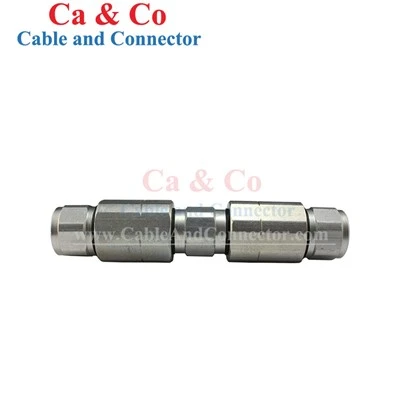
If you’ve tried all the tricks and you’re still dealing with loose RG6 connectors, or you’re building out a whole setup and want parts that won’t let you down, reach out to us to chat. We can help you pick the right connector for your specific setup, whether it’s for indoor TV, a satellite dish, an outdoor antenna, or business security cameras. No pressure, just straight talk about getting your connections right so you don’t have to deal with pixelated TV or dropped internet mid-work call.
Coax Adapter References
RG/U Coaxial Cable and Connectors: Installation and Application Guidelines. Society of Cable Telecommunications Engineers.
Outdoor Coaxial Connector Performance: Environmental Durability Standards. National Association of Broadcasters Engineering Documentation.
Crimp Tool Specifications for RG6 Compression Connectors. Electronic Industries Alliance Standards.
Zhejiang Cable and Connector Optic Co., Ltd.
As one of the most professional rg6 connector manufacturers and suppliers in China, we have world-leading production equipment and strong manufacturing capabilities. Please rest assured to wholesale custom made rg6 connector at competitive price from our factory.
Address: 1517 East Communications Building, No.398, Wensan Road, Xihu District, Hangzhou City, Zhejiang Province, China.
E-mail: Sales@CableAndConnector.com
WebSite: https://www.zjcableandconnector.com/
